Background
Whenever I start a new project, my default database choice is usually PostgreSQL.
It is reliable, mature, flexible, and very comfortable to work with. For most product backend needs, it is more than enough. User data, authentication, orders, payments, sessions, subscriptions, settings, and other operational data can live very well inside Postgres.
But when the scope moves into analytics, my instinct is different.
I no longer directly think about Postgres. I start thinking about another kind of database: OLAP databases, such as BigQuery, ClickHouse, DuckDB, or other data warehouse engines.
Not because Postgres is bad.
But because analytics is a different workload.
The Problem I Experienced
I already experienced what happened when I forced Postgres to handle analytics workload.
At first, it looked simple. The data was already there. The operational application already used Postgres. So why not just write SQL queries directly to the same database?
For simple queries, it worked.
But after the question became more analytical, the result started to become very slow.
The query was no longer only:
select *
from orders
where id = 'order_123';
It became something like:
select
  date_trunc('day', orders.created_at) as day,
  products.category,
  sum(order_items.quantity * order_items.price) as revenue
from orders
join order_items on orders.id = order_items.order_id
join products on order_items.product_id = products.id
where orders.created_at >= now() - interval '90 days'
group by 1, 2
order by 1;
That kind of query is very different.
It does not only fetch one row. It scans many rows, joins multiple tables, groups the result, calculates aggregate metrics, and then sorts the output. If the data is still small, probably it is fine. But when the data keeps growing every day, the pain becomes obvious.
The worst part is not only that the analytics page is slow.
The worst part is that it can ruin the operational database.
The same Postgres database that should serve the application now also needs to answer heavy analytical questions. So the database has two jobs at the same time:
- Serve the product.
- Scan a large amount of data for analytics.
That is where the problem starts.
Marketplace Data Makes This More Painful
This is even more obvious in marketplace data.
In a marketplace, every day can create thousands of new rows across many tables:
- orders
- order items
- products
- customers
- inventory movements
- vouchers
- refunds
- payment transactions
- shipment statuses
- ad spend
And business questions rarely touch only one table.
The questions usually sound like:
- Which product category is declining?
- What campaign gives the best margin?
- Which voucher creates repeat buyers?
- Why did revenue drop this week?
- Which SKU has high sales but low profit?
- Which marketplace performs better after ad spend?
To answer those questions, we need joins, filters, time grouping, aggregations, and sometimes multiple steps of analysis.
If I force the operational Postgres database to handle all of that, it becomes a nightmare. It might still work technically, but it becomes slow and risky. The more data grows, the more expensive the query becomes.
OLTP: The Job Postgres Is Great At
The database category for Postgres is usually called OLTP, which means Online Transaction Processing.
OLTP databases are designed for operational workload.
For example:
- create a user
- update an order status
- fetch one payment
- insert a new transaction
- check whether an email already exists
- update inventory after checkout
The important characteristic is that the application often needs to read or write a small number of rows very quickly and correctly.
This is why Postgres is amazing for product backends.
It supports transactions, constraints, indexes, relations, updates, deletes, and all the things we need to keep application data correct.
If a customer is checking out, I want the database to be correct. If payment status changes, I want it to be reliable. If inventory is updated, I want the transaction to be safe.
That is the kind of work where Postgres shines.
OLAP: The Job Analytics Databases Are Built For
OLAP means Online Analytical Processing.
OLAP databases are designed for analytical workload.
For example:
- calculate revenue for the last 12 months
- compare customer cohorts
- group orders by product category
- aggregate ad spend by campaign
- scan event logs
- calculate conversion rate by channel
- analyze millions or billions of rows
The important characteristic is different from OLTP.
In analytics, we usually do not fetch one complete row. We scan many rows, but only need a few columns. Then we aggregate the result.
That is why OLAP databases have a different architecture.
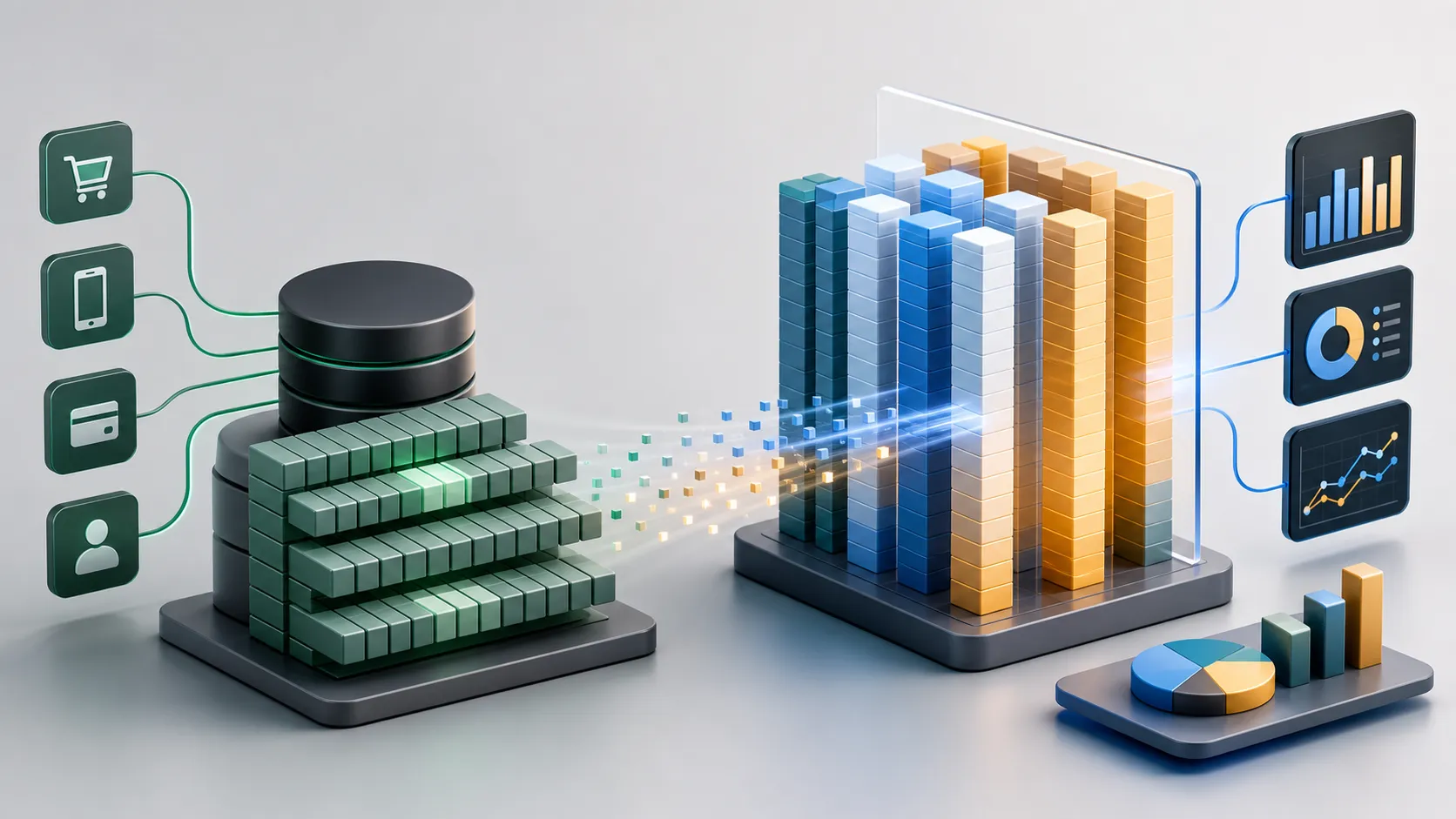
Row-Based vs Columnar Storage
Most OLTP databases, including Postgres, are row-based.
Imagine we have an orders table:
order_id | customer_id | status | total | created_at
1        | 101         | paid   | 150   | 2026-05-01
2        | 102         | paid   | 300   | 2026-05-01
3        | 103         | refund | 120   | 2026-05-02
In a row-based database, the data is stored row by row.
That is very good when the application needs one full order. For example, if I need order_id = 1, Postgres can fetch that row and return the complete order data.
But analytics usually asks a different question.
For example:
select
  date_trunc('day', created_at) as day,
  sum(total) as revenue
from orders
where status = 'paid'
group by 1;
This query only needs three columns:
created_attotalstatus
If the table has 50 columns, an analytics query probably does not care about most of them.
Columnar databases store the data by column:
order_id:    1, 2, 3
customer_id: 101, 102, 103
status:      paid, paid, refund
total:       150, 300, 120
created_at:  2026-05-01, 2026-05-01, 2026-05-02
So when the query only needs created_at, total, and status, the database can focus on those columns. It does not need to read the other columns that are irrelevant to the question.
That is one of the main reasons OLAP databases can be much faster for analytics.
Why Columnar Databases Are Better For Analytics
There are several reasons why OLAP databases are better for this kind of workload.
First, they can read fewer columns.
If an analytics query only needs five columns from a table with many columns, a columnar database can avoid reading the rest. This is very useful when the data is large.
Second, columnar data compresses better.
Values inside the same column are often similar. For example, the status column might contain repeated values like paid, pending, refund, and cancelled. Because the values are similar, the database can compress them efficiently.
Third, OLAP engines are optimized for scanning and aggregation.
They are designed to process large chunks of data, group them, calculate metrics, and return aggregate results. Many OLAP engines also use vectorized execution, which means they process batches of values efficiently instead of thinking row by row.
Fourth, they are usually better at parallel execution.
When the query needs to scan a large dataset, OLAP databases are designed to split the work across CPU cores or distributed workers.
Fifth, many OLAP systems are designed around append-heavy data.
Analytics data is usually historical. We keep adding new orders, new events, new logs, and new transactions. But we do not constantly update every old row. This pattern fits OLAP databases very well.
The PostHog Example
One reference that explains this very well is the PostHog article: In-depth: ClickHouse vs PostgreSQL.
I like this article because PostHog’s journey is very relatable. They started with Postgres for client data. At first, it worked. But as usage grew, Postgres had to store and query millions of rows for an analytics-heavy product. Eventually, they migrated client data to ClickHouse.
The important point from that article is not “Postgres is bad” or “ClickHouse is always better”.
The important point is that they solve different jobs.
Postgres is flexible and general-purpose. ClickHouse is specialized for OLAP workload. It is very good for aggregate-heavy data, but it is not the right database for update-heavy application data.
This is the part that many people miss.
OLTP and OLAP are not enemies. They are complementary.
The Architecture I Prefer
For most products, I still want Postgres as the source of truth.
But for analytics, I prefer to move the data into an OLAP layer.
The architecture can look like this:
Product App
    |
    v
Postgres OLTP
    |
    v
ETL or CDC Pipeline
    |
    v
OLAP Database
    |-- Dashboard
    |-- AI Analyst
    `-- Business Report
In this setup, Postgres keeps doing what it is good at:
- storing operational data
- handling transactions
- serving the application
- keeping the source of truth correct
And the OLAP database does what it is good at:
- scanning historical data
- aggregating large tables
- serving dashboards
- answering analytical questions
- powering reporting and AI analysis
This separation is important because it protects the operational system.
Analytics should not make checkout slower. A dashboard should not ruin the product experience. A weekly revenue report should not compete with customer transactions.
BigQuery, ClickHouse, and DuckDB
There are many OLAP databases, and I don’t think there is only one correct answer.
For me, the choice depends on the use case.
BigQuery is great when I want a managed data warehouse. I don’t want to manage infrastructure too much, and I want to focus on writing queries and building analytics. This is usually a strong choice for business intelligence, data warehouse, and company-level reporting.
ClickHouse is very strong for fast analytics, product analytics, event data, logs, and use cases where the query needs to feel very fast. This is why many analytics products use it.
DuckDB is amazing for local analytics, data exploration, notebooks, CSV or Parquet files, and lightweight analytical work. It feels like SQLite for analytics.
The point is not that one database is always better.
The point is to choose the database based on the workload.
The Lesson
I still love Postgres.
If I start a new product tomorrow, I will probably still choose Postgres as the main database.
But I will not force Postgres to become my analytics engine if the data is already large and the questions are already analytical.
Forcing one database to do every job feels simpler at first. There is only one system to manage, one connection, one place to query from.
But the hidden cost appears later.
The query becomes slow. The dashboard becomes painful. The operational database becomes stressed. The product experience can be affected by reporting workload.
That is not worth it.
The better lesson for me is simple:
Use Postgres for the product. Use OLAP for analytics.
Postgres is the source of truth. OLAP is the analysis layer.
When I separate those two jobs properly, the system becomes easier to reason about. The product can stay reliable, and analytics can become fast enough to actually be useful.